Drafting Chair for Standing Desk: Ergonomic Standards Explained
Drafting Chair for Standing Desk: Ergonomic Standards Explained
Can sitting at the wrong height cause a compensable workplace injury? Occupational health attorneys and workers’ compensation courts have, in many cases, said yes. If you’re building a home workspace around a sit-stand desk, understanding what ergonomic standards actually specify — rather than what product listings claim — matters more than most buyers realize.
This is not legal advice — consult a licensed attorney for any workplace injury, employer compliance, or occupational health legal questions.
Drafting Chairs vs. Standard Office Chairs: Key Structural Differences
The most fundamental decision when setting up a sit-stand workstation is whether you actually need a drafting chair — or whether a tall version of a standard chair will do. The structural differences between the two categories aren’t cosmetic. They reflect distinct biomechanical requirements tied to seat elevation.
| Feature | Standard Office Chair | Drafting Chair |
|---|---|---|
| Seat height range | 16–21 inches | 22–33 inches |
| Footrest ring | Not included | Standard feature |
| Base clearance | Low profile | Elevated for desk height |
| Armrest style | Fixed or adjustable | Typically flip-up |
| Lumbar support | Fixed or adjustable | Adjustable or 3D |
| Typical price range | $80–$1,500+ | $80–$600+ |
Why Standard Chairs Fail at Elevated Desk Heights
The Herman Miller Aeron ($1,495 at retail) — one of the most clinically referenced office chairs available — maxes out at roughly 21 inches of seat height. Most sit-stand desks used at an intermediate working position sit between 38 and 48 inches from the floor. A seat at 21 inches under a desk at 44 inches creates more than 23 inches of desk-to-seat differential. For context, a healthy neutral posture requires roughly 10–12 inches between the seat surface and the desk surface. The remaining gap gets absorbed by elevated shoulders, forward neck position, and upward arm reach — all documented precursors to upper extremity musculoskeletal disorders.
The Role of the Footrest Ring
At elevated seat heights, feet can’t reach the floor. Dangling legs cut circulation behind the knee, shift load onto the posterior thighs, and tilt the pelvis in ways that distort lumbar alignment. The adjustable footrest ring — the circular bar wrapping around the base column — compensates by providing stable foot support at elevation. The Primy 934-Z Black drafting chair includes an adjustable footrest ring built for repeated daily repositioning, which matters if multiple users share the chair or a single user alternates desk heights throughout the workday.
Flip-Up Armrests: Practical Function, Not Style
Flip-up armrests serve one clear function at a sit-stand desk: allowing the chair to slide fully underneath when you move to a standing position. Fixed armrests collide with the desk underside and force the chair to remain several inches out from the work surface when not in use. In smaller home offices, this matters more than it sounds. At drafting chair heights, the chair is also parked farther back during standing sessions, and the ability to store it cleanly under the desk keeps the floor clear.
What OSHA and Ergonomic Authorities Actually Specify for Seated-Standing Workstations
OSHA does not have a specific mandatory ergonomics standard for general industry in the United States. The agency withdrew its broad ergonomics rule in 2001 following congressional action under the Congressional Review Act. This surprises many employers and workers. However, the General Duty Clause (Section 5(a)(1) of the Occupational Safety and Health Act) still requires employers to furnish workplaces free from recognized hazards — and courts have generally found that ergonomic hazards qualify under that standard when the employer knew or should have known about them.
California operates differently. California Code of Regulations Title 8, Section 5110 specifically governs repetitive motion injuries and requires covered employers to implement ergonomics programs when two or more workers performing the same tasks sustain RMIs within a 12-month period. Cal/OSHA guidance explicitly addresses workstation height and seat adjustability as required control measures.
What Published Guidelines Specify
The National Institute for Occupational Safety and Health (NIOSH) and the Human Factors and Ergonomics Society (HFES) publish criteria that most occupational health practitioners treat as the operative benchmark for seating at sit-stand workstations. These criteria include:
- Seat height should allow the user’s feet to rest flat on a support surface — floor or footrest — with the knee at approximately 90 degrees of flexion
- Lumbar support should contact the spinal curve between L3 and L5 vertebrae
- Armrests, when present, should support the forearms at approximately 90-degree elbow flexion without shoulder elevation
- No more than four inches of the seat pan should extend beyond the back of the knee when seated
- The top of the monitor should sit at or slightly below eye level to prevent sustained cervical flexion
A chair that doesn’t meet these criteria at your specific desk height isn’t just uncomfortable. Each hour of use at a misaligned workstation adds cumulative compressive load to intervertebral discs and the soft tissues of the posterior shoulder girdle.
The Transition Problem at Sit-Stand Desks
Ergonomists who study alternating posture workstations typically recommend cycling between seated and standing positions every 20 to 30 minutes. This is where drafting chair adjustability becomes practically relevant. A chair requiring multiple lever operations for each height change discourages transitions — users stay in whichever position they started in far longer than recommended.
Height-adjustable pneumatic cylinders allow single-lever transitions in under 10 seconds. This feature is standard on mid-range and premium chairs like the Steelcase Leap V2 ($1,700+) and the Autonomous ErgoChair Pro ($499). The Primy 2401-Z reaches this standard at $129.99, with a pneumatic lift mechanism built for frequent daily adjustments.
Remote Work and Employer Ergonomic Obligations
Whether employer ergonomic obligations extend to home offices remains partially unsettled law. California workers’ compensation tribunals have generally treated the home as a covered work environment when injuries occur during work activities, regardless of physical location. Federal OSHA has not issued formal guidance requiring employers to audit home workstations, but the agency has not foreclosed enforcement under the General Duty Clause either. If you work remotely for an employer in a state with ergonomics regulations and believe your home workstation contributed to a musculoskeletal injury, the applicable legal framework may be more protective than you expect.
This is not legal advice — consult a licensed attorney familiar with workers’ compensation law in your state.
The Footrest Ring Is the Most Underrated Feature on Any Drafting Chair
Most buyers spend ten minutes comparing lumbar padding and armrest foam density. The footrest ring actually determines whether the elevated seat height is ergonomically usable. An unadjustable ring fixed at the wrong height is functionally worse than no ring at all — it forces leg extension or excessive knee flexion, recreating the exact circulation and postural problems the elevated seat was supposed to solve.
Buy a chair with a height-adjustable footrest ring. Everything else is secondary to this.
Seven Features Ergonomists Check When Evaluating a Drafting Chair

When an occupational therapist or certified ergonomist assesses a sit-stand workstation, the chair evaluation follows a documented checklist. These are the seven criteria that appear on every professional assessment form.
Non-Negotiable Features
- Seat height range: The cylinder should reach the height of your desk surface minus your seated torso length. Most adults using a desk at 44–48 inches need 26–32 inches of seat height. Verify the maximum height in the manufacturer’s spec sheet before purchasing — some budget chairs cap at 27 inches.
- Adjustable footrest ring: Should move a minimum of five to six inches vertically. A ring fixed at one position serves only a narrow band of user heights and desk configurations.
- Lumbar support position: Needs to be vertically adjustable. A fixed lumbar pad that contacts L1 for a six-foot user and L5 for a five-foot user is ergonomically inert for at least one of them.
Important but Negotiable at Sub-$200 Price Points
- Seat depth adjustment: A sliding seat pan accommodates thigh-length variation. Common in premium chairs like the Herman Miller Aeron; rare in sub-$200 drafting chairs. Not a dealbreaker at lower price points if the seat pan depth is close to correct for your build.
- Armrest width and pivot: The Primy 2401-Z tall desk chair uses flip-up armrests, which solve the desk clearance problem even without full 4D adjustment capability.
- Base caster spread: A wider five-point star base reduces tipping risk at elevated seat heights. At 30+ inches of seat height, lateral reach creates more instability than it does at 18 inches — this is worth checking for any chair above 28 inches of seat height.
- Weight capacity at maximum height: Most chairs in the $100–$150 range support 250 lbs at standard positions. Some ratings decrease at maximum cylinder extension. Verify the spec for your intended working height, not just the general capacity number on the listing.
Lumbar Support in Drafting Chairs: Why the Price Tiers Are So Different
Fixed lumbar padding is a marketing feature. Dynamic lumbar support — mechanisms that follow the spine through movement — is an ergonomic feature. This distinction accounts for most of the price spread between a $130 drafting chair and an $800 one.
The Herman Miller Aeron uses a PostureFit SL system that independently supports both the sacrum and the lumbar spine, adapting to real-time movement. The Steelcase Leap V2 has a LiveBack mechanism engineered to flex in a pattern that replicates natural spinal movement during posture shifts. These are the benchmarks that occupational therapists reference when describing the clinical standard.
What “3D Lumbar Support” Actually Means at Different Price Points
At $800 and above, “3D lumbar” typically describes a jointed or spring-tensioned mechanism that moves during sitting. At $100–$200, the same phrase in product descriptions usually means the support pad can be manually repositioned on three axes — height, depth, and sometimes tilt angle — before a sitting session. It doesn’t move dynamically during use.
That distinction matters less than buyers assume for many users. A manually positioned lumbar support set correctly at L3–L5 before sitting provides consistent contact throughout a work session. The Humanscale Freedom ($900+) achieves this automatically through a counter-balanced mechanism. A well-designed budget chair achieves it through manual pre-adjustment. For most healthy adults working four to six hours daily, the manual approach is adequate.
When the Budget Option Isn’t Sufficient
Users with diagnosed lumbar disc conditions, scoliosis, or post-surgical spinal restrictions should consult a physical therapist or certified ergonomist before selecting any chair — regardless of price. California courts and workers’ compensation tribunals in several other states have generally found that pre-existing conditions don’t automatically defeat a workers’ compensation claim when a non-compliant workstation materially worsened the condition.
For users without existing conditions, the IKEA KULLABERG drafting stool ($69) — which has no back support whatsoever — represents a false economy for sessions longer than two hours. The functional gap between a no-back drafting stool and a properly supported drafting chair is far larger than the gap between a $130 chair and a $500 one.
Common Questions About Drafting Chair Ergonomics
Do I Need a Drafting Chair If My Standing Desk Goes Low Enough for a Regular Chair?
Not necessarily. If your sit-stand desk descends to 24–27 inches — the range that accommodates most adults in a conventional seated posture — a standard ergonomic chair works at that height and a drafting chair offers no advantage. The drafting chair becomes necessary when you use the desk at a standing-assist or leaning height, typically 38–48 inches from the floor. Many people with standing desks never actually use this intermediate range, which means they don’t need a drafting chair at all.
What Seat Height Do I Need for a Desk Set at 48 Inches?
At a desk set to 48 inches, most adults need a seat between 27 and 32 inches high, depending on seated torso length and preferred elbow angle. Users above 6’2″ may require the upper end of that range or above. The Primy 934-Z Black’s pneumatic cylinder reaches approximately 33 inches at maximum extension, which covers most users at that desk height. Measure your own torso before assuming the manufacturer’s range will work for your dimensions.
Is There a Legal Basis for Requiring Employers to Furnish Ergonomic Chairs for Remote Workers?
In most U.S. states, no statute explicitly requires employers to furnish ergonomic equipment for remote workers’ home offices. However, California, Washington, and several other states have ergonomics regulations that may extend employer obligations to any location where covered work occurs. The trend in occupational health law leans toward treating the home office as a covered workplace for injury purposes, though courts haven’t resolved this uniformly across jurisdictions. Whether inadequate seating at a home workstation specifically constitutes a recognized hazard under the federal General Duty Clause remains unsettled in federal caselaw. This is not legal advice — consult a licensed attorney in your jurisdiction.
How Sustained Incorrect Seat Height Damages Spinal Structures Over Time
Sitting too high is not symmetrical to sitting too low. The injury mechanisms differ, and understanding the difference clarifies why correct adjustment matters more than simply buying a chair with adequate range.
At too-low a seat height relative to desk surface, the elbows rise above desk level. Users compensate by elevating the shoulders — a posture that, sustained across hours, chronically overloads the upper trapezius and levator scapulae. At too-high a seat height, the reverse happens: arms rest below desk level, and users tilt forward from the thoracic spine to close the gap. Both create cumulative soft tissue loading that manifests as pain after weeks or months, not days. The onset is gradual enough that most people don’t associate it with workstation setup.
What Biomechanical Research Consistently Shows
NIOSH-cited research identifies two factors as the strongest predictors of musculoskeletal symptoms in seated workers: total time in any single static posture, and degree of deviation from neutral joint angles. A Herman Miller Aeron set at the wrong height for a given desk produces worse biomechanical outcomes than a correctly adjusted $130 drafting chair. Chair cost is not the controlling variable. Setup is.
Why Monitor Height Becomes Critical When You Raise Your Seat
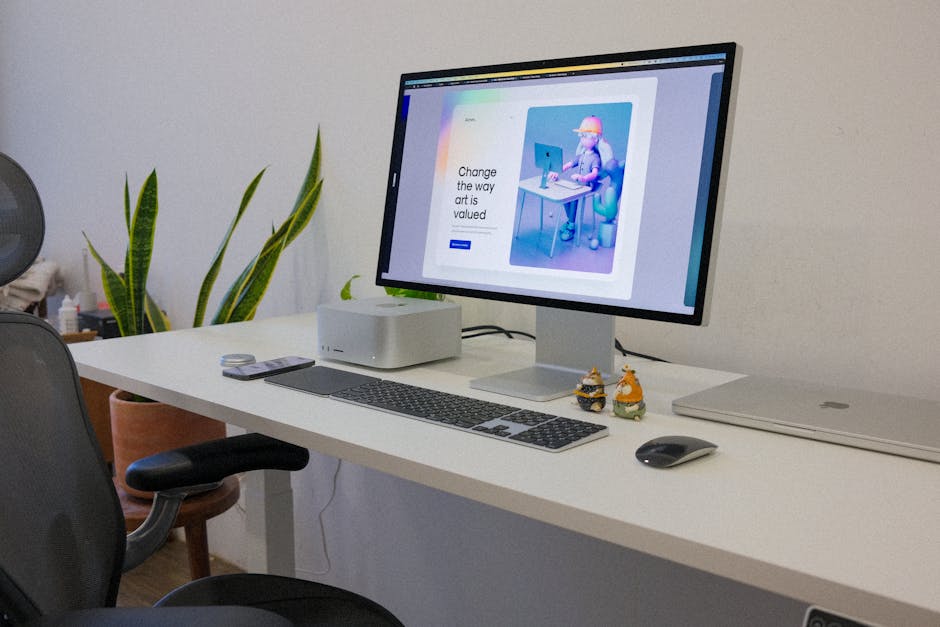
Most monitor arms are calibrated assuming a seated eye level of roughly 44–48 inches from the floor, which corresponds to a standard seat height of 17–20 inches for most adults. At drafting chair seat heights of 28–32 inches, eye level rises to 54–60 inches from the floor. If the monitor doesn’t move with the seat, users spend the session looking downward at an angle that produces chronic cervical flexion — clinically the same postural problem the elevated seat was supposed to prevent, just shifted from lumbar to cervical. Adjust your monitor arm before assuming the chair is the only variable requiring attention.
The most important thing you can do for a sit-stand workstation is confirm that chair height, desk height, and monitor height are all calibrated to each other — not just to each manufacturer’s default factory positions.