
Smart Thermostats for Home Comfort: A No-BS Guide
Most people think a smart thermostat is just a fancy timer. Wrong. That’s a common misconception. It’s not about setting a schedule and forgetting it. A true smart thermostat is a full-blown energy manager, actively learning your habits, reacting to occupancy, and even checking the weather. It does more than just switch your HVAC on and off. It optimizes. It adapts. It saves you money, if you pick the right one and use it correctly.
What Makes a Smart Thermostat “Smart,” Anyway?
Calling a basic programmable thermostat "smart" is like calling a flip phone a smartphone. It just isn’t. Real smart thermostats go beyond simple time-based adjustments. They integrate complex algorithms, sensor data, and internet connectivity to deliver actual intelligence. We’re talking about devices that understand your home’s thermal properties, anticipate needs, and proactively manage energy use without constant input from you. This isn’t just about comfort; it’s about efficiency you couldn’t achieve manually.
Beyond Simple Scheduling: Adaptive Learning
The core intelligence of devices like the Nest Learning Thermostat or Ecobee’s offerings comes from adaptive learning. You don’t set a rigid schedule; you adjust the temperature as you live. Within a week or two, the thermostat figures out your patterns. It learns when you like it warmer, when you prefer it cooler, and even how long it takes to heat or cool your specific space. This isn’t magic; it’s data science. It understands that you leave for work at 7:30 AM and return at 5:00 PM, automatically adjusting temperatures to save energy while ensuring comfort when you’re home. No more fiddling with settings for daylight savings or minor routine changes; it just adapts. This capability separates the genuinely smart from the merely programmable.
Geofencing and Remote Control: Real-World Convenience
Geofencing is a non-negotiable feature for efficiency. This means the thermostat knows when you’re coming and going based on your phone’s location. When you leave a set perimeter around your house, it dials back the HVAC. As you approach, it kicks back on, ensuring your home is comfortable by the time you walk through the door. This eliminates wasted energy heating or cooling an empty house. Furthermore, every legitimate smart thermostat offers robust remote control via a smartphone app. Stuck late at work? Turn down the heat from your phone. Coming home early? Bump up the AC. This isn’t just convenience; it’s precise control over your energy budget from anywhere with an internet connection. It puts you in charge, even when you’re not physically present.
Data & Diagnostics: Your HVAC’s Report Card
A smart thermostat collects data. Lots of it. This isn’t just about showing you how much energy you used yesterday. The better ones, like Ecobee and some Honeywell Home models, provide detailed energy reports, insights into runtime, and even diagnostics about your HVAC system’s performance. They can tell you if your system is cycling too frequently, suggesting potential issues. Some can even remind you to change your air filter based on run time, not just a calendar date. This level of insight empowers you to make informed decisions about your home’s energy consumption and even catch minor HVAC problems before they become expensive breakdowns. It’s like having a miniature energy auditor living in your wall.
The Core Contenders: Nest vs. Ecobee, Sensi, and Honeywell
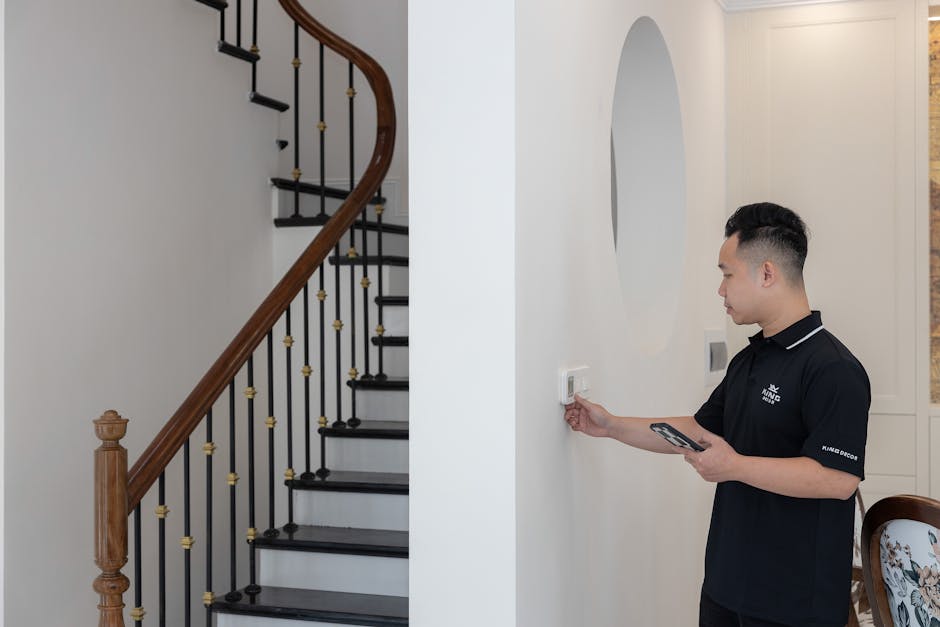
Forget the noise. There are three main players worth your time, plus a solid dark horse. You need to know their strengths because one size does not fit all. Picking the right one means understanding their core philosophies. Nest prioritizes simplicity and design. Ecobee focuses on comprehensive control and smart sensors. Honeywell Home offers robust, traditional HVAC control with smart features. Sensi is the straightforward, reliable option.
Nest Learning Thermostat
The Nest Learning Thermostat, specifically the 3rd Gen, is arguably the most user-friendly. Its elegant design and intuitive dial are unmatched. It learns your schedule faster than most, often within a week. The Nest ecosystem integrates well with Google Assistant and other Google Home devices. Its "Home/Away Assist" uses geofencing and motion sensors to save energy when no one’s home. Installation is usually straightforward for standard systems, though a C-wire is recommended for consistent power. It’s a solid pick for those who want a set-it-and-forget-it experience with a sleek interface. Expect to pay around $250-280 for the latest version. The cheaper Nest Thermostat (without "Learning") drops some of the advanced sensors and AI. Don’t cheap out if you want the full experience.
Ecobee SmartThermostat Premium
If you want granular control and robust sensor capability, Ecobee is the clear winner. The Ecobee SmartThermostat Premium (typically $250-270) comes with a remote sensor. These sensors are s. They measure temperature and occupancy in different rooms, allowing you to prioritize comfort where you are. If you have hot or cold spots, or want the nursery to be exactly 72 degrees, Ecobee handles it. It also has a built-in air quality sensor and supports voice control with Alexa. Integration with Apple HomeKit, Google Assistant, and Samsung SmartThings is excellent. This is for the power user, the one who wants to optimize every corner of their home’s climate. A C-wire is almost always required for Ecobee installations.
Honeywell Home T9 Smart Thermostat
Honeywell has been in the thermostat game forever. Their smart offerings, like the Honeywell Home T9 Smart Thermostat (around $170-200), bring that HVAC expertise to the smart home. It’s less flashy than Nest but delivers reliable performance. The T9 also supports remote room sensors, similar to Ecobee, allowing you to prioritize comfort in specific areas. It integrates with Alexa and Google Assistant. Honeywell excels in systems with more complex HVAC setups, like those with humidifiers or dehumidifiers, offering specific controls. If you value robust, traditional thermostat functionality with modern smart features and don’t care about a sleek design as much as reliability, Honeywell is a strong contender. It offers a great balance of features and value.
Installation: Don’t Screw It Up
This isn’t rocket science, but it’s not a light switch either. Poor installation causes headaches, wasted money, and potentially damaged HVAC systems. Don’t just rip out your old thermostat and assume the wires will magically connect. Take pictures. Label everything. Read the manual. Seriously.
C-Wire Conundrum: The Power Source Problem
Most smart thermostats require a consistent 24-volt power source, usually provided by a "C-wire" (common wire). Older homes often lack this. Without a C-wire, some thermostats might try to "power steal" from other wires, which can lead to intermittent power, Wi-Fi drops, or even damage to your HVAC control board. Nest offers a workaround in some models, but it’s not ideal. Ecobee usually includes a Power Extender Kit (PEK) to simulate a C-wire if one isn’t available, but even that has limitations. If your existing thermostat only has two wires (RH/RC and W/Y), you’re almost certainly going to need professional help to run a new C-wire or install a PEK correctly. Don’t guess; verify your wiring before you buy.
Voltage Check: Low vs. Line
Standard residential HVAC systems use low-voltage (24V AC) thermostats. This is what 99% of smart thermostats are designed for. However, some older homes, or homes with electric baseboard heaters, might use line-voltage (120V or 240V AC) thermostats. Installing a low-voltage smart thermostat on a line-voltage system is dangerous and will destroy the thermostat, and potentially cause a fire. You can tell the difference by the thickness of the wires and the presence of high-voltage warning labels. If you suspect line voltage, or if the wires are thick and insulated like standard household electrical wiring, stop immediately. You need a specialized line-voltage smart thermostat or an electrician. Do not proceed with a standard smart thermostat.
Professional Help: When to Call It In
If you’re unsure about your wiring, lack a C-wire, have a multi-stage or heat pump system, or if your system includes accessories like humidifiers or ventilators, call a professional. Seriously. HVAC technicians deal with these installations daily. They can ensure proper wiring, optimize settings for your specific system, and troubleshoot any issues that arise. The cost of a professional installation (typically $100-200) is far less than repairing a damaged HVAC system or dealing with constant thermostat malfunctions. Don’t be a hero; know your limits.
Zoned Heating: Not Just for Mansions

Look, the idea that every room needs to be the same temperature is ridiculous. It’s wasted energy and poor comfort. Zoned heating and cooling, made simple by smart thermostats with remote sensors, is the only sensible way to manage a modern home’s climate. Stop heating an empty guest room or over-cooling a sun-drenched living room just to make the bedroom comfortable. It’s inefficient, period. You should prioritize comfort where you are, when you are there.
The Efficiency Argument for Multiple Sensors
Traditional thermostats measure temperature at a single point, usually in a hallway. That’s fine if you live in a perfectly insulated box. Real homes have variations. Sunlight through a window, a cooking stove, or even multiple people in a room can drastically change the localized temperature. Remote sensors, offered by brands like Ecobee and Honeywell Home, allow your smart thermostat to get a clearer picture of your home’s actual thermal profile. By placing sensors in key rooms (bedrooms, home offices, living areas), the thermostat can average temperatures or prioritize a specific sensor based on occupancy or schedule. This means the system runs only as much as needed to achieve your desired comfort in the occupied space, rather than trying to satisfy a single, often misleading, hallway reading.
Practical Applications for Zoned Control
Consider a home where the master bedroom runs hotter than the rest of the house at night. With a single thermostat, you’d crank down the AC for the whole house, freezing unoccupied rooms. With a smart thermostat and remote sensors, you can tell the system to prioritize the bedroom sensor overnight. The AC will run until the bedroom hits your target temperature, ignoring the slightly warmer readings elsewhere. Same goes for a home office during the day or a living room in the evening. This isn’t just about micro-managing. It’s about directing your HVAC efforts precisely where they’re needed, eliminating wasteful heating or cooling in areas that don’t need it. This targeted approach significantly improves comfort and reduces overall energy consumption. It’s smart, practical, and saves money.
Energy Savings: Fact or Fiction?
Does a smart thermostat truly save money?
Yes, absolutely. But it’s not magic. The savings come from two main areas: reduced human error and intelligent optimization. Humans are notoriously bad at remembering to adjust thermostats. We leave the AC blasting when we go on vacation, or heat an empty house all day. A smart thermostat automates these corrections. Its learning algorithms, geofencing, and remote sensors ensure the system isn’t running unnecessarily. The U.S. Department of Energy estimates savings of about 10% on heating and cooling costs, which can translate to $50-100 or more annually depending on your climate and energy rates. The key is to actually use its smart features, not just treat it like a fancy digital display.
What’s the biggest factor in reducing energy bills?
The single biggest factor in reducing energy bills with a smart thermostat is setting back the temperature when you’re away or asleep. This means raising the temperature a few degrees in summer (e.g., from 72°F to 78°F) and lowering it a few degrees in winter (e.g., from 70°F to 65°F). The learning features and geofencing of smart thermostats automate this process, making it effortless. Manually doing this is effective, but most people don’t do it consistently. The smart thermostat does it for you, without you having to think about it. That consistent, automated setback is where the real savings accumulate. Don’t overlook insulation and proper HVAC maintenance though; a smart thermostat can only optimize what’s already there.
How long until it pays for itself?
The payback period for a smart thermostat typically ranges from one to three years. A high-end model costing around $250, saving you $75 annually, would pay for itself in just over three years. If you get a rebate from your utility company (many offer them, so check!), that payback period shrinks dramatically, sometimes to less than a year. Consider the long-term benefit. This isn’t just about recovering the initial cost; it’s about continuous savings, improved comfort, and better control over your home’s energy profile for the life of the device. It’s a solid investment that keeps giving back.
Key Features You Actually Need
- Remote Sensors: This is a non-negotiable feature for any home with more than one room. As discussed, they allow you to accurately measure temperature and occupancy in different zones, optimizing comfort where it matters most. Ecobee excels here, often including one with its premium models and selling additional sensors for about $30-40 each. Honeywell Home also offers effective room sensors. Don’t buy a smart thermostat if it doesn’t support these. You’ll just have a fancier version of your old thermostat.
- Geofencing: Your thermostat needs to know when you’re home or away without you manually telling it. Geofencing uses your smartphone’s location to automatically adjust temperatures. This is huge for energy savings. Nest’s Home/Away Assist is fantastic, combining geofencing with internal motion sensors. Ecobee also provides robust geofencing options. Without it, you’re constantly fighting your schedule.
- Voice Control Integration: You’re already talking to Alexa or Google Assistant. Your thermostat should too. Being able to say "Alexa, set the thermostat to 72 degrees" is incredibly convenient. All major smart thermostats support this, including Nest, Ecobee, and Honeywell Home. It’s a quality-of-life feature that you’ll use constantly, especially when your hands are full or you’re too comfortable on the couch to get up.
- Humidity Control: This feature is often overlooked but critical for comfort, especially in humid climates. Some smart thermostats, like certain Honeywell Home models, can integrate with whole-home humidifiers or dehumidifiers. They allow you to set a target humidity level, not just temperature. Maintaining proper humidity reduces the "muggy" feeling in summer and static in winter, potentially even letting you set the temperature a degree or two higher in summer and still feel comfortable.
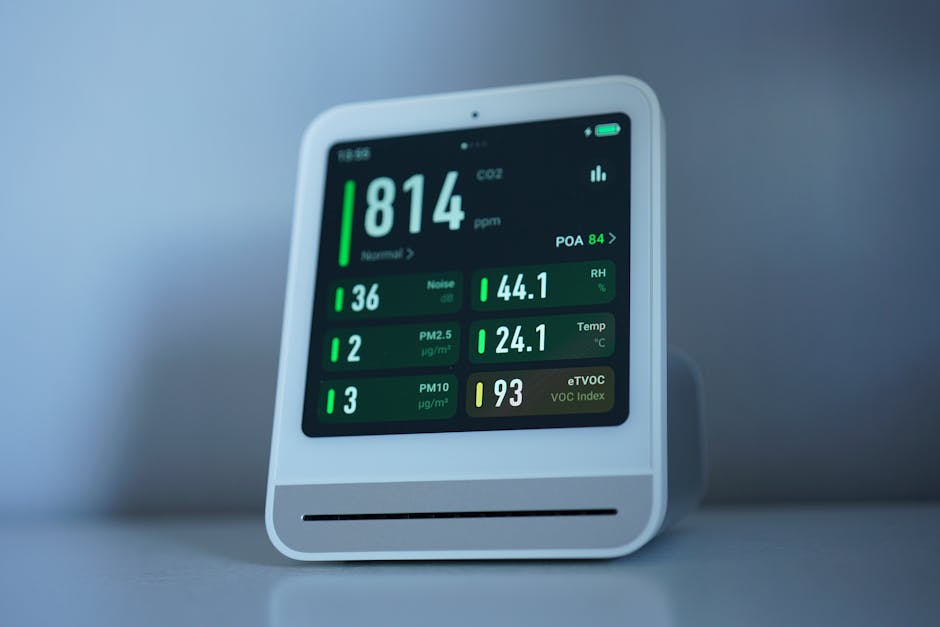
- Energy Reports and Insights: A truly smart thermostat doesn’t just manage; it informs. Detailed energy reports, usually available through the app, show you exactly when your HVAC system is running and how much energy it’s using. Ecobee’s Home IQ is a prime example, providing actionable insights into your usage patterns and potential savings. Nest also offers clear energy history. This data empowers you to make smarter choices about your home’s climate.
The Absolute Best Pick for Most Homes
For most people, the Ecobee SmartThermostat Premium is the best all-around smart thermostat right now. Its combination of robust remote sensors, comprehensive control, smart home integration, and detailed energy insights simply delivers the most value and flexibility. It prioritizes comfort precisely where you need it, which is the ultimate goal.
Smart thermostats are no longer a novelty; they’re essential tools for managing home energy and comfort. The technology continues to evolve, pushing towards even more predictive and autonomous control. Expect future iterations to integrate even deeper with weather patterns, grid demands, and individualized health metrics, making our homes not just smart, but truly intuitive.